

Time is one of the most valuable resources we have, yet it often feels like there’s never enough of it. Whether you’re a student, entrepreneur, freelancer, or office professional, managing your time effectively can make the difference between feeling overwhelmed and staying in control. Fortunately, modern time management tools have become smarter, more intuitive, and powered by AI to help people organize tasks, manage schedules, and improve focus.
In 2026, productivity is no longer about working harder—it’s about working smarter. The right tool can help you prioritize important work, eliminate distractions, collaborate with your team, and achieve your goals faster.
In this guide, we’ll explore the best time management tools available in 2026, their key features, benefits, and how to choose the right one for your needs.
Why Time Management Tools Matter
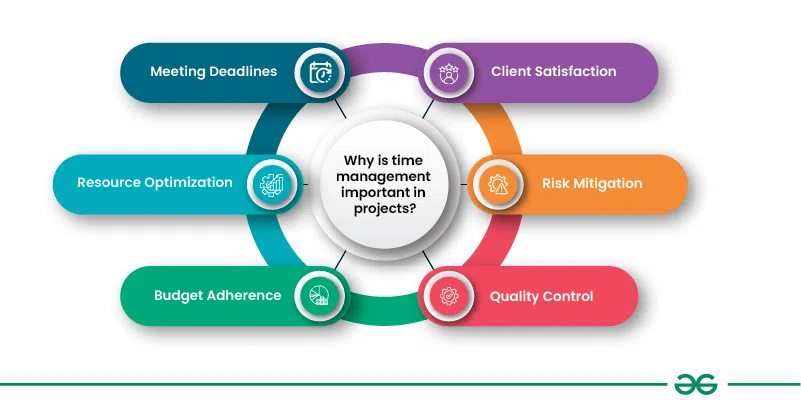
Time management tools do much more than create to-do lists. They help you organize your workday, set priorities, monitor progress, and reduce stress.
Using a reliable productivity tool allows you to:
- Plan your daily schedule efficiently
- Track deadlines and appointments
- Improve focus and reduce distractions
- Collaborate with teams in real time
- Monitor productivity trends
- Achieve better work-life balance
Instead of relying on memory or sticky notes, these tools ensure nothing important gets forgotten.
Key Features to Look for in Time Management Tools
Before selecting a productivity app, it’s important to understand which features truly matter.
Task Management
Create tasks, organize projects, assign deadlines, and prioritize your workload easily.
Calendar Integration
The best tools sync with Google Calendar, Outlook, and Apple Calendar so your meetings and tasks stay organized in one place.
AI-Powered Planning
Many modern apps now recommend schedules automatically based on deadlines and available time.
Collaboration Features
If you work with a team, shared workspaces, comments, and file sharing make communication much smoother.
Time Tracking
Knowing where your hours go helps identify distractions and improve productivity over time.
Mobile Accessibility
Work doesn’t always happen at your desk. Mobile apps let you manage tasks anywhere.
Best Time Management Tools in 2026
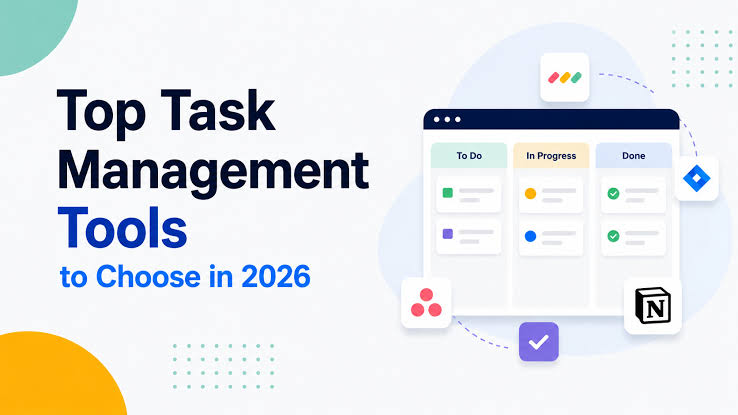
Notion
Notion continues to be one of the most versatile productivity platforms available. It combines note-taking, task management, project planning, databases, and documentation into one workspace.
It is ideal for individuals who want everything organized in one place. Students, freelancers, startups, and businesses all benefit from its flexibility.
Best for: All-in-one productivity
Todoist
Todoist remains one of the easiest task management applications to use. Its clean interface makes organizing daily responsibilities simple while offering powerful features like recurring tasks, priorities, reminders, and productivity tracking.
If you’re looking for a lightweight but powerful task manager, Todoist is an excellent choice.
Best for: Personal productivity
Trello
Trello uses visual Kanban boards that make project management simple and intuitive.
Users can create boards, lists, and cards to organize projects from start to finish. Drag-and-drop functionality makes tracking progress enjoyable and easy.
Best for: Visual project management
Asana
Asana is designed for businesses and collaborative teams managing multiple projects simultaneously.
It offers advanced workflow automation, timeline planning, project reporting, workload management, and goal tracking.
Large organizations appreciate Asana because it simplifies complex projects without creating confusion.
Best for: Team collaboration
ClickUp
ClickUp continues to gain popularity because it combines project management, task tracking, documents, goals, dashboards, and AI productivity features into one platform.
Its customization options allow businesses to create workflows that match their unique processes.
Best for: Businesses and growing teams
Google Calendar
Although simple, Google Calendar remains one of the most effective scheduling tools available.
It helps users organize appointments, meetings, reminders, recurring events, and deadlines while syncing seamlessly across devices.
Time blocking becomes much easier using Google Calendar.
Best for: Daily scheduling
Microsoft To Do
Microsoft To Do integrates perfectly with Microsoft 365, Outlook, and Teams.
It offers smart daily planning, reminders, task lists, and synchronization across multiple devices.
It’s especially useful for professionals already working within Microsoft’s ecosystem.
Best for: Microsoft users
RescueTime
Many people don’t realize how much time they waste online.
RescueTime automatically tracks how you spend your working hours and provides detailed reports about productive and distracting activities.
These insights help users build better habits and eliminate unnecessary distractions.
Best for: Productivity tracking
How AI is Changing Time Management in 2026

Artificial Intelligence has transformed productivity tools dramatically.
Today’s AI assistants can:
- Automatically prioritize tasks
- Suggest the best work schedule
- Predict project delays
- Organize emails
- Create meeting summaries
- Recommend focus periods
- Schedule breaks to prevent burnout
Instead of manually planning every task, AI now handles much of the scheduling process, allowing users to concentrate on meaningful work.
Benefits of Using Time Management Tools
Using the right productivity software offers several long-term advantages.
Better Organization
All your tasks, meetings, notes, and deadlines stay in one centralized location.
Higher Productivity
Planning your day reduces wasted time and helps you complete more important work.
Reduced Stress
Knowing exactly what needs to be done eliminates uncertainty and last-minute pressure.
Improved Collaboration
Shared workspaces allow teams to communicate more effectively and stay aligned on project goals.
Better Work-Life Balance
Efficient scheduling leaves more time for personal activities, hobbies, and family.
Tips for Getting the Most Out of Time Management Tools
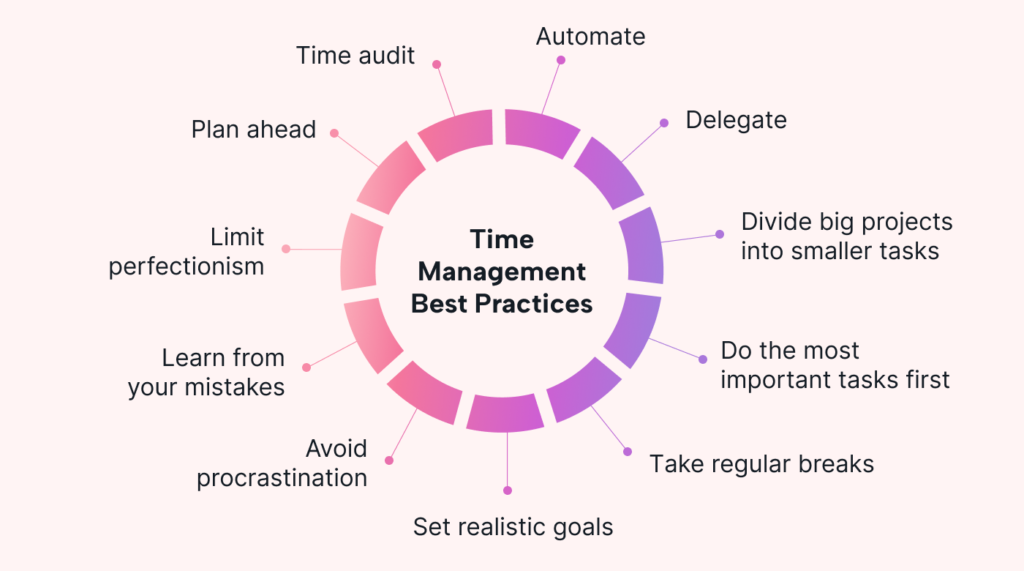
Simply installing a productivity app isn’t enough. Success comes from using it consistently.
Start by planning your day every morning or the night before. Break large projects into smaller tasks so they feel more manageable. Set realistic deadlines and prioritize the most important work first.
Use reminders for critical tasks but avoid creating too many notifications that can become distracting. Review your completed work weekly to identify productivity patterns and make improvements.
Most importantly, choose one primary productivity tool instead of switching between multiple apps. Consistency leads to better organization and less confusion.
How to Choose the Right Time Management Tool
The best tool depends on your work style.
Students often benefit from simple task managers like Todoist or Notion. Freelancers may prefer Notion or ClickUp because they combine project management with documentation.
Small teams usually find Trello or Asana effective for collaboration, while larger organizations often require ClickUp or Asana’s advanced workflow capabilities.
If your primary goal is scheduling, Google Calendar remains one of the simplest and most reliable choices. If you want to understand where your time goes, RescueTime provides valuable productivity insights.
Before committing to any platform, try its free version to ensure it fits your workflow and daily habits.
Common Time Management Mistakes
Even with excellent tools, certain habits can reduce productivity.
Trying to multitask constantly often leads to mistakes and lower-quality work. Ignoring priorities can cause urgent tasks to pile up, while setting unrealistic deadlines creates unnecessary stress.
Another common mistake is failing to review your schedule regularly. Productivity tools work best when updated consistently. Treat them as part of your daily routine rather than something you check occasionally.
Frequently Asked Questions (FAQs)
1. Which is the best time management tool in 2026?
Notion, ClickUp, Todoist, and Asana are among the best time management tools, depending on whether you need personal productivity or team collaboration.
2. Are free time management tools worth using?
Yes. Many tools like Google Calendar, Todoist, Trello, and Notion offer free plans with enough features for most individuals.
3. Can AI improve time management?
Absolutely. AI-powered productivity tools can prioritize tasks, automate scheduling, summarize meetings, and recommend the best times to focus, making daily planning much easier.
4. Which tool is best for students?
Notion and Todoist are excellent choices for students because they combine task management, note-taking, reminders, and project organization in an easy-to-use interface.