


Modern city life offers convenience, opportunities, and access to essential services, but it can also come with challenges. Traffic congestion, rising living costs, limited space, busy schedules, and the need to manage everyday responsibilities can make urban living complicated.
The right urban living tools can help simplify these challenges. From budgeting applications and public transport planners to home organization resources, energy-saving tools, and digital services, modern solutions make it easier to manage daily life in a city.
In 2026, technology is playing an increasingly important role in helping people organize their homes, plan journeys, manage expenses, discover local services, and make more informed decisions. Whether you live in a busy metropolitan area or a growing city, choosing useful tools can help you save time, improve convenience, and create a more organized lifestyle.
This guide explores the best types of urban living tools, their practical benefits, and how to choose solutions that suit your everyday needs.
What Are Urban Living Tools?

Urban living tools are digital applications, online resources, devices, and practical services that help people manage different aspects of city life. They can support transportation, housing, budgeting, home maintenance, shopping, sustainability, safety, and daily planning.
Some tools focus on one specific task, such as calculating household expenses. Others combine multiple features, allowing users to plan schedules, manage reminders, monitor spending, or organize home-related activities.
The main goal is simple: make everyday city living more convenient, efficient, and manageable.
| Urban Living Category | Main Purpose | Everyday Example |
|---|---|---|
| Transportation | Plan journeys and reduce travel uncertainty | Route planners and transit apps |
| Home Management | Organize household responsibilities | Cleaning schedules and maintenance trackers |
| Budgeting | Monitor expenses and spending | Budget planners and bill reminders |
| Smart Home | Manage connected household devices | Smart lighting and energy controls |
| Local Discovery | Find nearby services and facilities | Maps and local directories |
| Sustainability | Reduce waste and resource consumption | Energy trackers and recycling guides |
| Safety | Support personal and household preparedness | Emergency information and safety apps |
| Productivity | Organize daily responsibilities | Calendars, reminders, and task managers |
The most useful combination depends on your location, lifestyle, budget, and daily routine.
Best Urban Living Tools to Explore in 2026
1. Transportation and Commute Planning Tools
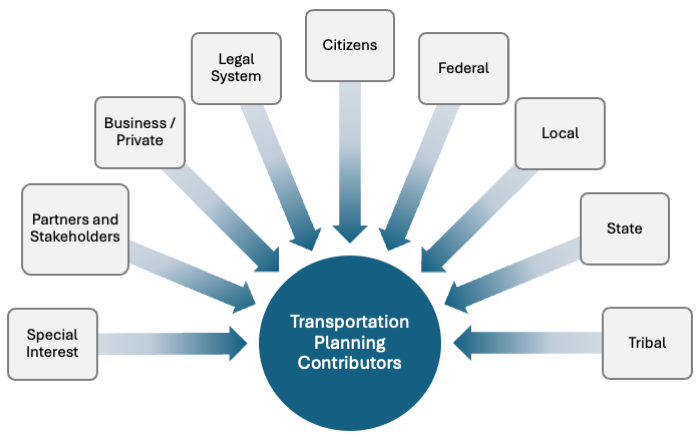
Transportation is one of the biggest considerations in urban life. Commuters often need to compare routes, check public transport schedules, estimate journey times, and adjust plans when traffic conditions change.
Transportation tools can make these tasks easier by bringing relevant travel information together.
Useful features include route planning, public transport information, navigation, traffic updates, estimated arrival times, and walking or cycling directions.
How these tools help:
- Plan daily journeys more efficiently.
- Compare available travel routes.
- Find public transport connections.
- Locate parking options where supported.
- Discover walking and cycling routes.
- Reduce uncertainty when planning appointments.
For example, someone travelling to work can compare different routes before leaving home. A person visiting an unfamiliar neighbourhood can use navigation tools to locate shops, hospitals, restaurants, and other facilities.
Important pointer: Travel information can change because of road closures, service interruptions, and local conditions. Check current information before relying on a route for an important journey.
2. Smart Home and Household Management Tools
Urban homes may have limited storage, compact rooms, shared facilities, or busy household schedules. Home management tools can help residents make better use of their space and stay on top of routine responsibilities.
Depending on the application, these tools may support cleaning schedules, grocery lists, maintenance reminders, shared chores, inventory tracking, and smart-device controls.
| Household Need | Useful Tool Type | Practical Benefit |
|---|---|---|
| Cleaning | Chore planner | Organizes recurring tasks |
| Grocery shopping | Shopping list app | Helps prevent forgotten items |
| Home repairs | Maintenance tracker | Records repairs and service dates |
| Storage | Decluttering planner | Helps organize limited space |
| Shared housing | Shared task manager | Divides responsibilities |
| Connected devices | Smart home app | Controls compatible devices |
Smart home applications can also help manage connected lights, thermostats, plugs, and other compatible devices. However, features depend on the product, network connection, and device compatibility.
Before purchasing connected equipment, check whether it works with your existing devices and whether ongoing subscriptions are required.
3. Budgeting Tools for City Living
Managing money is essential when living in a city. Rent, groceries, transportation, utilities, subscriptions, and occasional expenses can add up quickly.
Budgeting tools help users understand where their money goes and plan for upcoming payments.
Common features include expense tracking, monthly budgets, savings goals, bill reminders, spending categories, and financial summaries.
A simple monthly budget might include the following categories:
| Expense Category | Examples | Budgeting Tip |
|---|---|---|
| Housing | Rent and maintenance | Prioritize essential payments |
| Utilities | Electricity, water, internet | Monitor monthly usage |
| Transportation | Public transport and fuel | Compare practical travel options |
| Food | Groceries and meals | Plan purchases in advance |
| Personal Needs | Clothing and daily essentials | Set a realistic spending limit |
| Savings | Emergency fund and goals | Save consistently where possible |
| Other Expenses | Entertainment and subscriptions | Review unnecessary recurring costs |
You do not need a complicated financial application to begin. A spreadsheet or simple expense tracker may be enough for a basic household budget.
Key tip: Review your spending regularly instead of waiting until the end of the month. Small adjustments can make it easier to manage costs over time.
4. Local Discovery and City Service Tools
Finding reliable local services can take time, particularly when moving to a new city or neighbourhood. Local discovery tools help users explore nearby facilities, compare available options, and locate useful resources.
These tools may include maps, business directories, review platforms, community websites, and service-finding applications.
You can use local discovery tools to find:
- Grocery stores and supermarkets.
- Healthcare facilities and pharmacies.
- Repair and maintenance services.
- Restaurants and cafés.
- Libraries and educational facilities.
- Parks and recreational spaces.
- Public offices and community resources.
When evaluating a service, look beyond its search ranking. Check current operating hours, contact details, service availability, and recent reviews where possible.
For important services, such as healthcare or emergency assistance, verify details through reliable official sources.
5. Productivity Tools for Busy City Residents

Urban life often involves balancing work, commuting, family responsibilities, appointments, and personal activities. Productivity tools help bring these responsibilities into one organized system.
Useful options include digital calendars, task managers, note-taking applications, reminders, and scheduling tools.
For example, a calendar can keep track of appointments, while a task manager can organize household errands and work deadlines.
A simple daily planning routine can include:
- List the most important tasks.
- Schedule appointments and travel time.
- Set reminders for essential deadlines.
- Group errands by location where practical.
- Review unfinished tasks at the end of the day.
The goal is not to fill every minute with activity. It is to reduce avoidable confusion and make time for the things that matter.
6. Energy-Saving and Sustainable Living Tools
Sustainable living is increasingly relevant in cities, where energy use, waste management, transportation, and limited space can influence daily choices.
Energy-monitoring applications, recycling guides, water-use trackers, and public transport planners can help residents make more informed decisions.
| Sustainability Goal | Tool Type | Potential Benefit |
|---|---|---|
| Reduce electricity use | Energy monitoring tools | Identify usage patterns |
| Reduce household waste | Waste tracking tools | Encourage better purchasing habits |
| Improve recycling | Local recycling guides | Find appropriate disposal options |
| Save water | Water-use trackers | Monitor consumption |
| Reduce car journeys | Transit and cycling planners | Explore alternative travel methods |
| Plan reusable purchases | Shopping lists | Reduce unnecessary buying |
Not every tool can measure environmental impact precisely. Treat estimates as guidance and check local recycling rules or utility information when accuracy matters.
Simple habits, such as switching off unused lights, planning shopping trips, and reducing food waste, can complement digital tools.
7. Personal Safety and Emergency Preparedness Tools
Safety is an important part of urban living. Residents may need access to emergency contacts, local alerts, medical information, travel updates, or household emergency plans.
Depending on the location, useful resources can include official emergency information, weather alerts, navigation applications, and personal safety features on smartphones.
Important safety pointers:
- Save relevant local emergency numbers.
- Keep your phone charged when travelling.
- Share travel plans with a trusted person when appropriate.
- Check official alerts during severe weather or local disruptions.
- Review app permissions before enabling location sharing.
- Avoid relying on a single application during an emergency.
Safety features vary by device and location. Confirm how they work before an urgent situation arises, and use official emergency services when immediate help is required.
How to Choose the Right Urban Living Tools

The number of available applications can make choosing the right solution difficult. Instead of installing everything, start by identifying the areas of your life that need the most support.
Identify Your Daily Challenges
Think about the tasks that regularly consume time or create stress. You may need help organizing expenses, planning commutes, managing a shared home, or keeping track of appointments.
Choose tools that directly address those problems.
Compare Features and Costs
Some applications are free, while others offer paid plans, optional subscriptions, or in-app purchases.
Before signing up, check which features are included, whether usage is limited, and whether a subscription is necessary for your intended use.
Review Privacy and Security
Urban living applications may request access to location information, contacts, calendars, financial details, or smart home devices.
Before granting permissions, ask whether the application genuinely needs that information. Read the privacy policy and adjust permissions where possible.
Check Reliability and Compatibility
A tool should work with your device and fit your routine. Review system requirements, supported devices, update history, and integration options.
A simple application that works consistently may be more valuable than a complicated one that you rarely use.
Common Mistakes to Avoid

Installing Too Many Apps
Using separate applications for every small task can create unnecessary notifications and scattered information. Start with a few essential tools and add others only when needed.
Ignoring Subscription Costs
A free download may include paid features or recurring charges. Check pricing before starting a trial or entering payment details.
Sharing Too Much Personal Information
Avoid granting unnecessary access to your location, contacts, photos, or financial information. Use only the permissions needed for the feature you want.
Relying on Outdated Information
Transport schedules, business hours, prices, and local regulations can change. Check current information before making important decisions.
Expecting Technology to Solve Everything
Digital tools can support planning and organization, but they cannot guarantee safety, lower bills, or eliminate every daily challenge. Combine them with practical judgment and reliable information.
Build a Simple Urban Living Toolkit

You do not need dozens of applications to manage city life effectively. A small collection of useful tools can cover most everyday needs.
Consider starting with one tool for each priority:
- Travel: A reliable route and transport planner.
- Money: A monthly budget or expense tracker.
- Home: A shopping list and maintenance reminder.
- Schedule: A calendar or task manager.
- Local services: A map or trusted local directory.
- Sustainability: A relevant energy or recycling resource.
- Safety: Official emergency information and device safety features.
Review your toolkit after a few weeks. Keep the tools that provide clear value, remove those you rarely use, and adjust your setup as your needs change.
Frequently Asked Questions
What are urban living tools?
Urban living tools are applications, digital resources, devices, and services that help people manage transportation, household tasks, expenses, local services, safety, and everyday city life.
Which urban living tools are most useful?
Transportation planners, budgeting apps, calendars, home management tools, and local service directories are useful starting points for many city residents.
Are urban living tools free?
Some are free, while others offer paid subscriptions or premium features. Always check the pricing details before signing up.
Can urban living tools help save money?
Budgeting tools, expense trackers, and energy-monitoring applications can help users understand spending patterns and identify opportunities to reduce avoidable costs.