
Let’s be honest for a second. Most of us don’t open our laptops every morning bursting with excitement to organize spreadsheet rows, summarize two-hour meeting recordings, or draft six polite follow-up emails that say the exact same thing in slightly different ways.
We just want to do our actual jobs, solve real problems, and close our laptops at a reasonable hour so we can have a life outside of work.
For decades, software was passive. It sat on your desktop like a stubborn box of digital tools, waiting for you to click every single button, type every single character, and manually move data from Point A to Point B. But over the last year or two, something fundamental shifted.
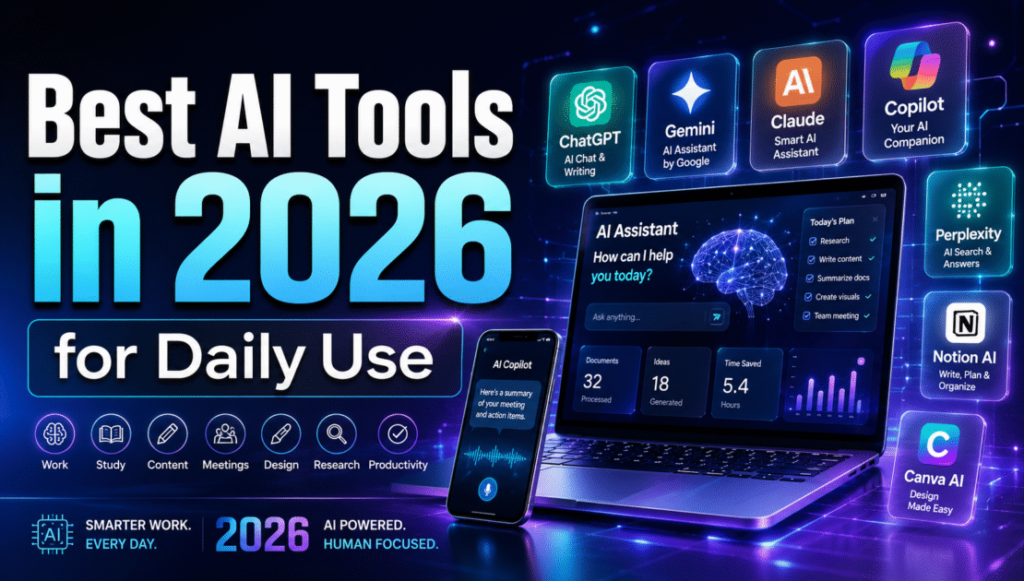
We’ve officially moved past the noisy honeymoon phase of generative AI—the era dominated by gimmicky chat prompts, weird synthetic images with six fingers, and generic AI-generated poetry. In 2026, the software landscape feels entirely different. Today’s best smart tools aren’t trying to show off with flashy tricks; they operate as quiet, competent digital partners. They pick up on nuance, anticipate your next move, automate multi-step administrative nightmares, and run quietly in the background while you focus on work that actually requires human intuition, empathy, and judgment.
If you feel completely drowned in the endless sea of app launches, subscription promises, and technical jargon, this is your grounded, no-nonsense guide to the AI tools, workflows, and strategies actually worth your time right now.
What Makes a Tool “Smart” in 2026?

Before we dive into specific apps and categories, let’s clear up what we actually mean by a “smart tool.”
A traditional software application is completely reactive. If you open a standard calendar, it sits there blankly until you type in an event title, select a time slot, add guest emails, and hit save. If two meetings overlap, it lets you suffer the consequences until you manually reschedule them.
A smart tool, on the other hand, understands context and operates with intent.
TRADITIONAL SOFTWARE vs. SMART AGENTIC TOOLS

┌────────────────────────────────────────┐     ┌────────────────────────────────────────┐
│          TRADITIONAL SOFTWARE          │     │            SMART AGENTIC TOOL          │
├────────────────────────────────────────┤     ├────────────────────────────────────────┤
│ • Waits passively for manual input     │     │ • Understands goals & intent           │
│ • Follows strict, rigid logic          │     │ • Anticipates context & next steps     │
│ • Requires manual cross-app transfers  │     │ • Executes workflows across systems    │
│ • Zero awareness of your priorities    │     │ • Learns preferences & protects focus  │
└────────────────────────────────────────┘     └────────────────────────────────────────┘
When you tell a modern smart calendar, “I need four hours of uninterrupted focus time to finish the Q3 strategy deck before Thursday,” it doesn’t just block a random box. It looks at your peak energy hours, checks your team’s meeting habits, negotiates open slots around existing commitments, and automatically reshuffles lower-priority tasks if an urgent fire breaks out.
The real leap in 2026 comes down to Agentic Workflows. Early AI tools were purely conversational—you asked a question, and it handed back text. Modern agentic systems can take a high-level goal, break it down into logical steps, interact with external databases, make judgment calls based on your preferences, and present you with finished work ready for your final sign-off.
The Reality Check: Which Tool Categories Actually Deliver Value?
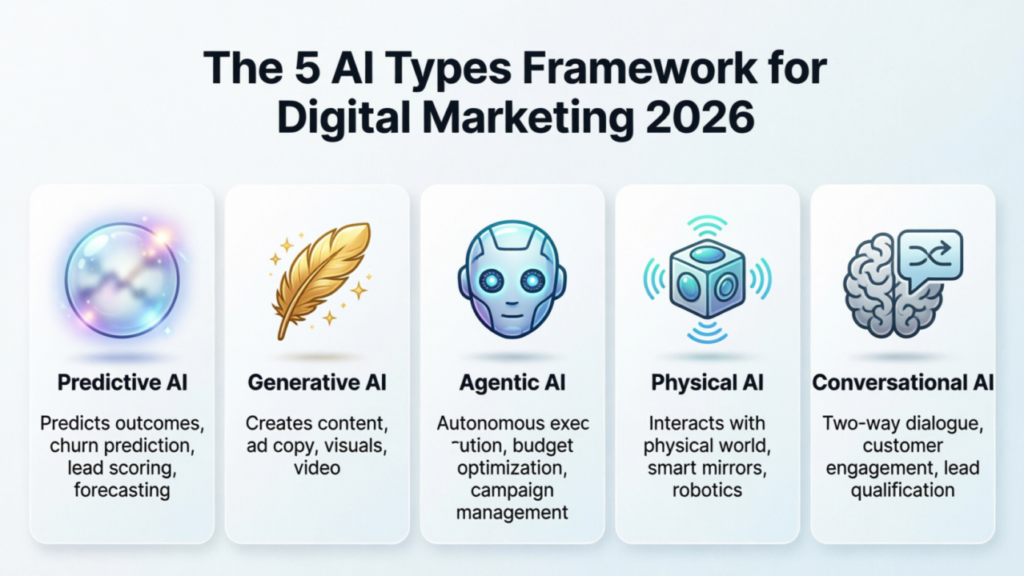
You don’t need a dozen monthly software subscriptions cluttering your bank statement. Most productivity issues aren’t caused by a lack of software—they’re caused by software fragmentation.
Here is a straightforward comparison of the top AI tool categories, what they actually replace, and the honest tradeoffs you should expect before adopting them.
| Category | Real-World Use Case | What It Actually Replaces | The Real Human Benefit | What to Watch Out For |
| Meeting Copilots | Capturing key decisions & action items automatically | Frantic note-taking & re-watching long call recordings | Lets you be 100% present in conversations without missing details. | Attendees can get defensive if you don’t clearly state the recorder is on. |
| Agentic Workspaces | Executing multi-step research and doc creation | Hours spent manually copy-pasting across browser tabs | Turns you into an editor/director rather than a low-level researcher. | Requires careful human review; never let agents publish completely unvetted. |
| Smart Schedulers | Managing calendars & protecting deep focus time | The endless “Are you free at 3 PM?” email back-and-forth | Shields your high-energy hours from low-value, scattershot meetings. | Can feel rigid if your daily work thrives on completely unplanned spontaneity. |
| Knowledge Hubs | Querying internal company documentation instantly | Searching through messy drive folders and scattered Slack threads | Answers complex company questions in seconds using plain English. | Garbage in, garbage out—if your underlying docs are outdated, answers will be too. |
| Generative Design | Creating clean pitch decks and visual mockups fast | Waiting three days for a design team to build basic slide layouts | Converts rough text outlines into client-ready visual assets in minutes. | Output can look overly slick or generic without custom brand tweaking. |
1. Meeting Copilots: Reclaiming the Hours Lost to Zoom Fatigue

Let’s talk about the universal corporate tax: meetings.
We’ve all sat through an hour-long call where half the team was typing furiously on silent, trying to record every task mentioned, while the other half drifted off staring at their second monitor. By the end of the day, you’re left with five pages of messy notes that nobody will ever open again.
Modern AI meeting copilots—tools like Otter, Fireflies, and context-aware apps like Granola—have fundamentally reshaped this dynamic.
┌─────────────────────────────────────────────────────────────────────────┐
│                     THE MEETING COPILOT WORKFLOW                        │
├─────────────────────────────────────────────────────────────────────────┤
│ 1. JOIN & RECORD   ──> Transcribes conversation with speaker tags       │
│ 2. CONTEXT SYNTH   ──> Filters small talk; isolates core decisions      │
│ 3. ACTION EXTRACT  ──> Builds checklist: [Owner] + [Task] + [Deadline]  │
│ 4. CRM / PM SYNC   ──> Automatically updates Notion, Jira, or HubSpot   │
└─────────────────────────────────────────────────────────────────────────┘
Instead of simply outputting an unreadable 10,000-word transcript, these tools act like an attentive executive assistant sitting in the corner of your screen.
Why They Change the Game
- Active Listening: You can look people in the eye, engage in genuine debate, and collaborate naturally, knowing every critical decision is being logged.
- Semantic Search: If you missed a meeting while out sick, you don’t need to watch a 45-minute recording at 2x speed. You can simply open the summary and type: “Did we agree on a budget cap for the contractor?” The tool will highlight the exact two-minute exchange, complete with a timestamp and written summary.
- Automated Action Items: Before the meeting even ends, the tool organizes an action-item matrix: Who promised to do what, and by when? It can then push those tasks directly into your team’s project management board.
2. Agentic Research & Content Tools: Moving from Prompts to Projects
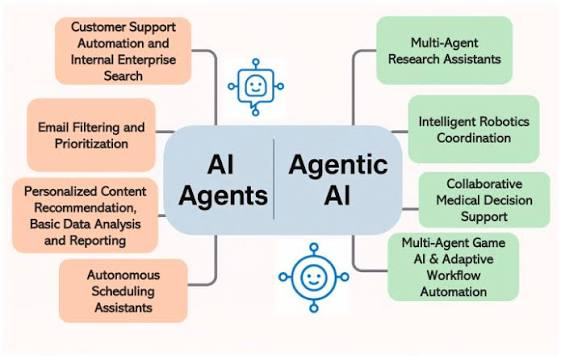
If you’re still using AI purely by typing short prompts like “Write an email asking for a raise” or “Summarize this article,” you are barely scratching the surface of what modern systems can do.
The real breakthrough in 2026 is Agentic Execution. Rather than acting as a simple text completion engine, an agentic tool breaks a high-level goal down into sub-tasks, evaluates its own progress, corrects its mistakes mid-process, and uses external tools to complete complex projects.
THE EVOLUTION OF AI INTERACTION

  2023 (Conversational) ──> "Write a brief summary of competitor X's pricing."
                                   │
                                   ▼
  2026 (Agentic Flow)   ──> "Analyze the top 5 competitors in our space.
                            Build a side-by-side pricing matrix in a table,
                            identify where our tier is overpriced, and draft
                            a memo for the product team with recommendations."
How Agentic Workflows Function in Practice
- Planning: The AI receives your high-level objective and outlines a multi-step roadmap.
- Tool Selection: It decides which capabilities it needs—web browsing, running code, searching internal databases, or drafting documents.
- Execution & Refinement: It pulls raw data, formats it, spots gaps in its own analysis, fills those gaps, and polishes the output before presenting it to you.
This shifts your personal role from being a manual executor to acting as a creative director and managing editor. The tool does the heavy, time-consuming structural lifting; you step in to evaluate the output, verify the facts, inject human personality, and make the strategic calls.
3. Smart Calendars and Focus Engines: Protecting Your Attention
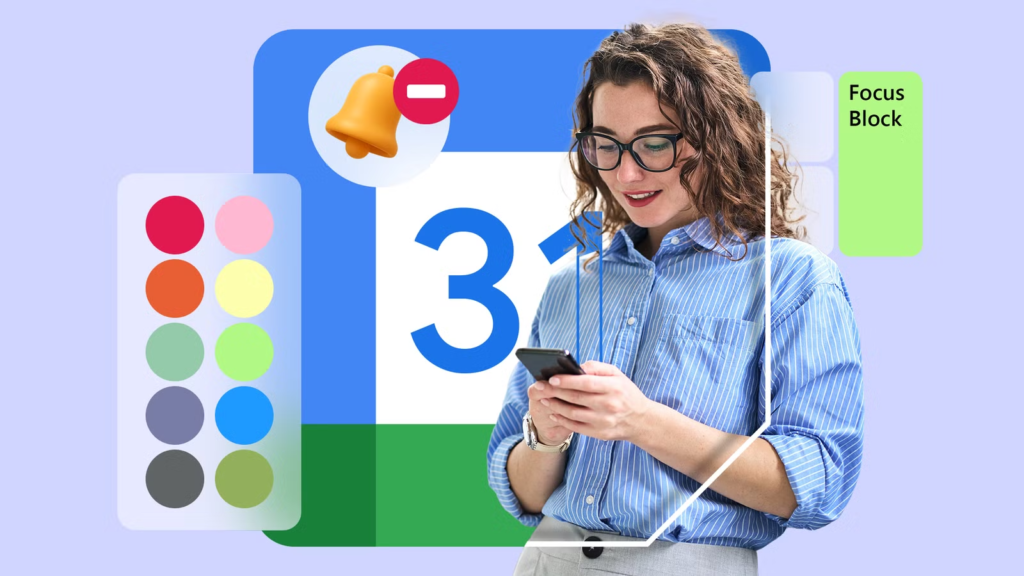
Time fragmentation is one of the biggest drivers of modern workplace burnout. When your workday is sliced into 30-minute meeting chunks interspersed with 15-minute gaps, you spend your whole day in “context-switching hell.” You never reach a state of deep focus where real, high-value work gets done.
Smart calendar engines like Reclaim, Motion, and Clockwise treat your time as a finite, precious asset that needs active defense.
┌─────────────────────────────────────────────────────────────────────────┐
│                      A FRAGMENTED vs. SHIELDED DAY                      │
├─────────────────────────────────────────────────────────────────────────┤
│ FRAGMENTED DAY (Unmanaged)                                              │
│ [Mtg] [30m Gap] [Mtg] [Mtg] [15m Gap] [Mtg] [30m Gap] [Mtg]             │
│ Result: Zero deep work done, constant stress, late-night catch-up.      │
├─────────────────────────────────────────────────────────────────────────┤
│ SHIELDED DAY (Smart Scheduling Engine)                                  │
│ [  DEEP FOCUS BLOCK (3 Hours)  ] [Lunch] [Mtg] [Mtg] [Mtg] [Admin]      │
│ Result: Major project finished early, clear boundary at end of day.    │
└─────────────────────────────────────────────────────────────────────────┘
What Modern Time-Blocking Engines Do Differently
- Adaptive Habits: You can tell your calendar, “I need 3 hours of gym time every week and 4 hours of deep strategy writing.” If a client books over your Tuesday morning writing block, the system silently migrates that block to Wednesday afternoon without you lifting a finger.
- Buffer Management: They automatically insert travel time, decompression breaks between high-stakes calls, and administrative catch-up windows so you aren’t rushing back-to-back from 9 AM to 5 PM.
- Contextual Grouping: Instead of scattering internal one-on-ones throughout the week, smart engines pull them together into dedicated “meeting blocks,” keeping large chunks of your week completely clear for deep work.
4. Knowledge Management: Ending the Hunt for Lost Documents
How many hours have you wasted over the past year searching for a file named something like ? Or scrolling endlessly through a chaotic Slack channel trying to find a link someone shared three weeks ago?
The modern solution isn’t stricter file folder organization—it’s Semantic Knowledge Retrieval.
Tools like Notion AI, Glean, and local launcher extensions like Raycast AI index your company’s entire digital ecosystem. They don’t just search for literal keyword matches; they understand the meaning behind your request.
  User Request: "What is our policy on remote work equipment stipends?"
                                │
                                ▼
  ┌──────────────────────────────────────────────────────────┐
  │                 SEMANTIC KNOWLEDGE ENGINE                │
  ├──────────────────────────────────────────────────────────┤
  │ Searches: Slack, Notion, Google Drive, HR Portals        │
  │ Connects: "equipment stipend" = "home office budget"     │
  └──────────────────────────────────────────────────────────┘
                                │
                                ▼
  Output: "Employees receive $500/year for home office setups.
  Submit receipts through Expense-Portal by Q4.
  [Source: HR_Policy_2025.pdf, Page 12]"
Instead of opening four different cloud apps, you simply press a shortcut key on your keyboard, ask a question in natural language, and receive an instant answer backed by direct citations to the original source documents.
A Step-by-Step Guide: How to Build Your Personal Smart Tool Stack
Adopting new tools shouldn’t feel like taking on a second job. If you attempt to overhaul your entire digital life in a single weekend, you’ll end up with system fatigue and abandon everything within a month.
Follow this three-phase approach to build a lean, sustainable workflow that actually saves time.
┌─────────────────────────────────────────────────────────────────────────┐
│                    THE 3-PHASE ADOPTION ROADMAP                         │
├─────────────────────────────────────────────────────────────────────────┤
│ PHASE 1: Eliminate the Daily Drain (Week 1-2)                           │
│ • Install an AI Meeting Assistant to handle transcription & action items │
│ • Deploy a Smart Calendar to block focus time & aggregate availability   │
├─────────────────────────────────────────────────────────────────────────┤
│ PHASE 2: Supercharge Writing & Research (Week 3-4)                      │
│ • Integrate an AI workspace tool for drafting, summarizing, & editing  │
│ • Build custom templates for repetitive email sequences & client briefs │
├─────────────────────────────────────────────────────────────────────────┤
│ PHASE 3: Automate Multi-Step Cross-App Workflows (Month 2+)             │
│ • Connect background automation tools to move data between apps         │
│ • Deploy agentic research workflows for complex multi-source projects   │
└─────────────────────────────────────────────────────────────────────────┘
Phase 1: Fix Your Personal Bottlenecks
Identify the single administrative task that causes you the most frustration every day. Is it summarizing meetings? Repetitive email responses? Finding internal documents? Start by solving just that one pain point. Master one tool before downloading another.
Phase 2: Refine Your Prompting Style
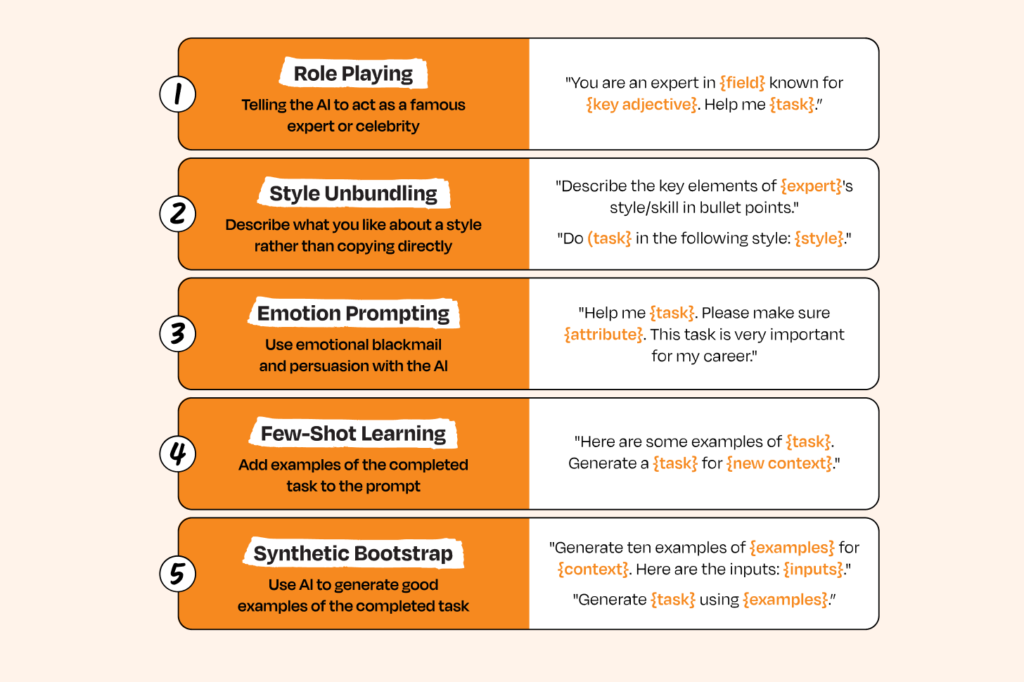
Stop giving tools sparse, single-line instructions. To get exceptional output from any smart system, provide context using this four-part structure:
- Role: “Act as a senior product marketing manager…”
- Context: “We are launching a new B2B feature aimed at mid-sized e-commerce teams…”
- Task: “Draft a short launch email introducing the feature…”
- Constraints: “Keep the tone conversational, limit it to 150 words, and emphasize time saved over technical specs.”
Phase 3: Review and Audit Monthly
Set a reminder at the end of every month to ask yourself: “Is this app actually saving me time, or am I just spending time tweaking its settings?” If a tool feels heavy, overly complex, or stresses you out, delete it. The goal is fewer friction points, not more software.
The Golden Rule: Keeping the Human Element Front and Center
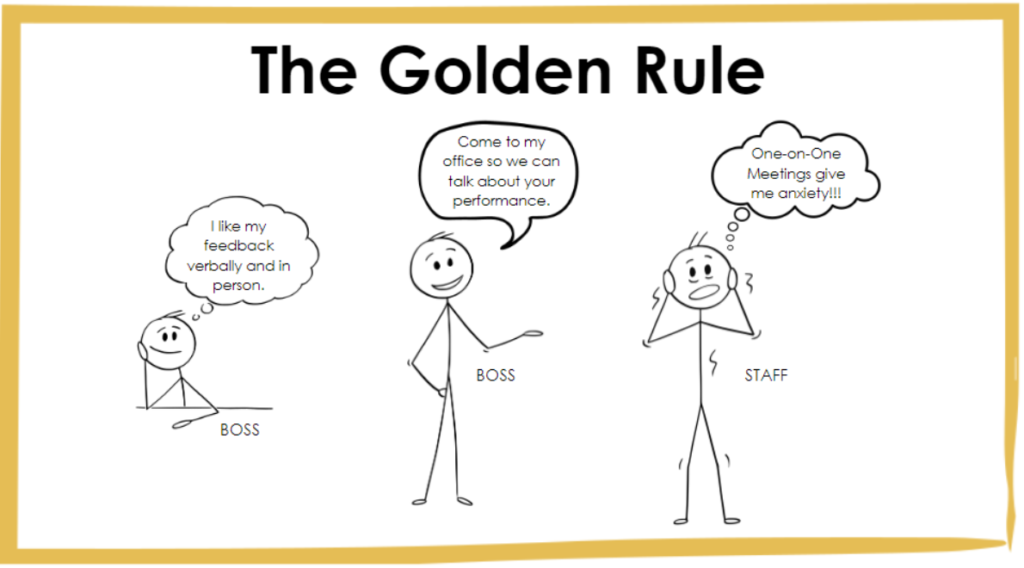
As smart tools become more capable, it’s easy to fall into the trap of over-automation—letting AI write all your emails, generate all your reports, and communicate on your behalf without oversight.
That is a fast track to producing bland, soul-less work that feels utterly disconnected from real human relationships.
THE HIGH-VALUE HYBRID WORKFLOW

  ┌──────────────────────────┐      ┌──────────────────────────┐
  │      AI SMART TOOL       │      │      HUMAN EXPERT      │
  ├──────────────────────────┤      ├──────────────────────────    ┤
  │ • Fast data pulling      │      │ • Emotional intelligence       │
  │ • Pattern recognition    │ ───> │ • Strategic judgment │
  │ • Initial rough drafts   │      │ • Creative flair                      │
  │ • Administrative scale   │      │ • Fact verification              │
  └──────────────────────────┘      └──────────────────────────┘
The most effective professionals in 2026 aren’t those who let AI do 100% of their thinking. They are the ones who use AI to handle 80% of the mechanical, repetitive groundwork so they can dedicate 100% of their human energy to the remaining 20%—the nuance, strategy, empathy, and personal relationships that software can never replicate.
Frequently Asked Questions
1. Do I need a technical background or coding skills to use modern AI tools?
Not at all. The biggest design trend over the last few years has been moving away from complex code or technical setups toward natural, everyday human language. If you know how to write an email or talk to a colleague, you have all the technical skills needed to operate modern smart tools.
2. How do I ensure sensitive client or company data stays private when using AI?
Always check the privacy terms of any app you adopt. Consumer-tier free tools sometimes use public inputs to train their underlying models, whereas enterprise-grade platforms offer strict zero-data-retention agreements where your data remains encrypted, isolated, and entirely private.
3. Will relying on smart tools make my core professional skills rusty?
Think of smart tools like power tools for a carpenter. A power saw doesn’t make a carpenter forget how wood works; it simply allows them to build a house in three days instead of three weeks. By offloading routine formatting and administrative typing, you free up cognitive bandwidth to deepen your strategic, creative, and problem-solving skills.
4. What is the single best tool to try if I’ve never used AI for productivity?
Start with an AI meeting assistant. It requires almost zero setup, runs silently during your normal calls, and immediately delivers obvious value by handing you organized, actionable notes after every meeting.